

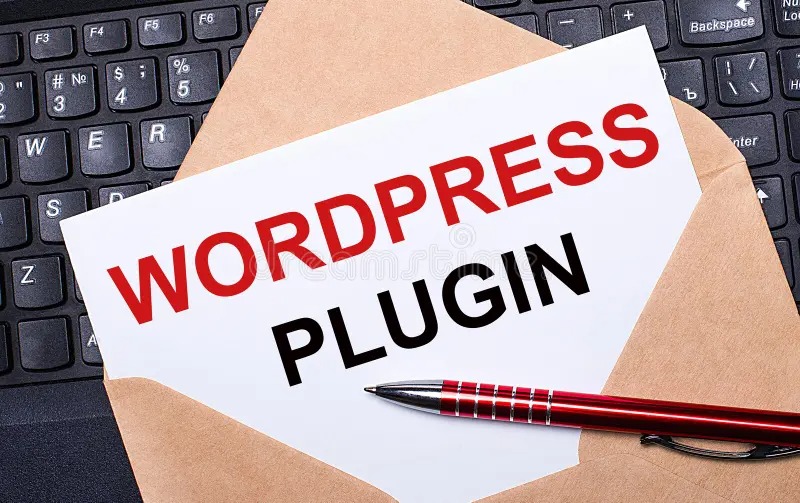
WordPress Plugins: Choose the Best Without Slowing Site
- Designpluz Branding Services
- Technology
- 2026-03-10 11:15:39
- 2518K
A business website should load fast, work smoothly, and help visitors find information easily. Many business owners build their sites using WordPress because it is flexible and simple to manage. Within the first steps of building a website, most website designers recommend using plugins to add useful features such as contact forms, security tools, and SEO support.
Plugins are powerful tools, but installing too many can cause serious problems. A slow website, poor user experience, security risks, and lower search rankings are common issues. Many business owners add dozens of plugins without knowing how they affect performance.
This guide explains how to choose the best WordPress plugins without slowing your website. It will help business owners, entrepreneurs, and organizations make smarter decisions when building or improving their sites.
What Are WordPress Plugins?
Plugins are small software tools that add extra functions to a WordPress website. They allow a web developer to expand the website’s ability without writing complex code.
For example, plugins can help you:
- Add contact forms
- Improve search engine visibility
- Create online stores
- Increase website security
- Optimize page speed
- Manage backups
Thousands of plugins are available in the WordPress marketplace. While this gives website owners many choices, it also creates confusion about which options are reliable and safe.
Why Choosing the Right Plugin Matters
Many people believe that installing more plugins will improve their website. Unfortunately, this approach can damage performance.
Poor plugin selection may cause:
1. Slow Website Loading
Each plugin adds extra code. When too many tools run at the same time, pages take longer to load.
Slow loading leads to:
- Higher bounce rates
- Poor user experience
- Reduced conversions
2. Security Risks
Untrusted plugins can contain vulnerabilities. Hackers may exploit these weaknesses to access website data.
3. Website Conflicts
Some plugins are not compatible with themes or other tools. Conflicts can break layouts or stop functions from working.
4. Lower Search Engine Ranking
Search engines prefer fast and secure websites. If performance drops, rankings may decline.
A professional Website Design Agency usually selects only essential plugins to keep websites stable and efficient.
Common Mistakes Business Owners Make When Installing Plugins
Many organizations install plugins without understanding how they work. This creates long-term maintenance problems.
Here are several mistakes that often happen.
Installing Too Many Plugins
Some websites run more than 40 tools. Most functions can actually be handled by only a few well-built plugins.
Using Outdated Tools
Plugins that are not updated regularly may become incompatible with newer WordPress versions.
Ignoring Reviews
Low ratings often signal performance or security issues.
Downloading from Unknown Sources
Plugins outside the official WordPress repository may contain harmful code.
Understanding these risks helps businesses build stronger websites.
How to Choose the Best WordPress Plugins
Selecting the right plugin requires careful evaluation. The following steps help ensure reliability, performance, and security.
1. Identify the Real Need First
Before installing any plugin, ask an important question:
Does the website truly need this feature?
Many functions can be handled by built-in theme settings or simple code adjustments. A skilled web developer often avoids unnecessary tools by creating lightweight solutions.
Examples of essential plugin categories include:
- SEO optimization
- Security protection
- Backup management
- Caching for faster loading
- Contact forms
Focusing on real needs prevents plugin overload.
2. Check Plugin Ratings and Reviews
WordPress provides user feedback for every plugin. Reviews help identify reliable tools.
Look for plugins with:
- High star ratings
- Large numbers of active installations
- Positive user comments
If many people report problems, it is safer to avoid that plugin.
This simple step saves time and prevents technical difficulties later.
3. Review Update Frequency
A well-maintained plugin receives regular updates. Updates improve security, compatibility, and performance.
When choosing a plugin, check:
- Last update date
- Compatibility with the current WordPress version
- Developer activity
Plugins not updated for several years may cause problems.
Professional website designers usually select plugins that are actively maintained by trusted developers.
4. Evaluate Plugin Performance
Some plugins use heavy scripts that slow website loading speed.
You can evaluate performance by:
- Testing with speed tools such as Google Page Speed Insights
- Checking plugin documentation
- Reading developer forums
Lightweight plugins are always better for long-term website health.
Fast websites provide better user experience and higher search visibility.
5. Choose Plugins from Trusted Developers
Reliable developers maintain strong coding standards. They release updates, fix issues quickly, and provide proper documentation.
Good signs of a trustworthy plugin developer include:
- Professional website
- Detailed support guides
- Regular updates
- Active support forums
Avoid tools created by unknown or inactive developers.
A trusted Website Design Agency often uses carefully tested plugins to protect client websites from risks.
6. Avoid Duplicate Function Plugins
Many plugins provide similar features. Installing multiple tools for the same function wastes resources.
For example:
- One SEO plugin is enough
- One security plugin is sufficient
- One caching plugin handles speed optimization
Running multiple tools for identical tasks creates conflicts and slows performance.
Choosing a single high-quality plugin solves the problem effectively.
7. Test Plugins Before Using Them on a Live Website
Testing helps ensure the plugin works properly with the existing website setup.
Developers often use:
- Staging environments
- Local development servers
- Temporary test websites
This process identifies issues before they affect real visitors.
Professional testing protects the website from unexpected failures.
8. Remove Unused Plugins
Many websites keep inactive plugins installed for long periods. Even unused tools can create vulnerabilities.
It is good practice to:
- Delete unnecessary plugins
- Keep only essential tools
- Review the plugin list regularly
Clean websites perform better and remain safer.
Essential Plugins Most Business Websites Need
While every website is different, some plugin types are commonly useful for business platforms.
SEO Optimization Plugin
Helps improve search engine visibility through meta tags, sitemap creation, and keyword optimisation.
Security Plugin
Protects websites from hacking attempts, malware, and brute force attacks.
Caching Plugin
Improves loading speed by storing static versions of pages.
Backup Plugin
Creates automatic backups so data can be restored if problems occur.
Contact Form Plugin
Allows customers to communicate easily with businesses.
Choosing well-built plugins in these categories ensures a stable website.
Signs That Plugins Are Slowing Your Website
If your website performance drops, plugins may be responsible.
Common warning signs include:
- Slow page loading
- Server errors
- Broken features
- Dashboard delays
- Increased hosting resource usage
When these issues appear, review installed plugins and remove unnecessary tools.
Benefits of Proper Plugin Selection
Choosing the right plugins offers many advantages for businesses.
Faster Website Speed
Lightweight tools keep pages loading quickly.
Better User Experience
Visitors enjoy smooth navigation and responsive features.
Improved Security
Trusted plugins reduce vulnerability risks.
Higher Search Rankings
Search engines prefer fast and stable websites.
Easier Website Management
Fewer plugins simplify maintenance and updates.
These benefits help businesses attract more customers online.
Final Thoughts
WordPress plugins are powerful tools that help websites perform many functions without complex coding. However, installing too many or choosing poorly built tools can slow performance, create security risks, and damage search visibility.
Business owners should focus on selecting only essential plugins that provide real value. Checking reviews, update frequency, developer reputation, and performance impact ensures better results.
Working with experienced website designers or a professional Website Design Agency can also help businesses choose reliable solutions. Their technical experience ensures the website remains fast, secure, and easy to manage.
A well-optimized plugin strategy keeps your WordPress website efficient while delivering the features your customers expect.
2518 people like this



About Premium Author
This post has been authored and published by one of our premium contributors, who are experts in their fields. They bring high-quality, well-researched content that adds significant value to our platform.
Leave a Reply
Please login to post a comment.



0 Comments