

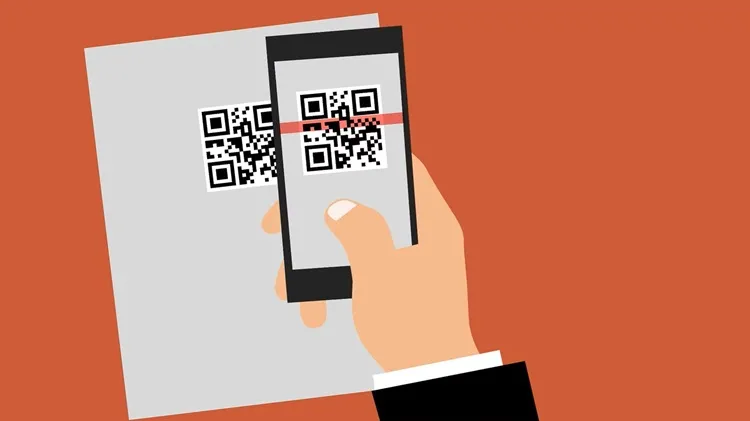
What Types of Information Can You Access When You Scan QR Codes Online
- Mohd kalfan93
- Digital Marketing
- 2026-11-27 13:00:55
- 2845K
QR codes are widely used to share different types of information through a simple scanning process. Almost every smartphone can scan these codes using its built in camera or a QR code scanning application. You can also scan QR codes online using web based tools without installing any additional software.
Depending on the type of QR code, you can access website links, contact details, WiFi credentials, payment information, product details, and several other types of data.
Therefore, let us look at the different types of information you can access when you scan QR codes online and understand how each of them works.
Types of Information Can You Access When You Scan QR Codes Online
Website Links and URLs
One of the most common types of information stored in a QR code is a website URL. Businesses, websites, and individuals use QR codes to share links that can be opened directly in a browser.
For example, when you scan a QR code printed on a product package, advertisement, or business card, it may redirect you to the official website.
The QR code scanner reads the encoded URL and displays the link. You can then open it in your browser to access the website.
This is useful for accessing websites without manually typing long web addresses.
Contact Information
QR codes can also store contact information such as names, phone numbers, email addresses, and business details.
For example, a business card may contain a QR code with the owner's contact information. When you scan it, the details can be displayed on your screen.
Some QR codes use the vCard format, which allows you to save the contact directly to your smartphone.
Therefore, you can access and save contact details without manually entering each piece of information.
WiFi Network Details
Another type of information you can access through a QR code is WiFi network credentials.
A WiFi QR code usually contains the network name (SSID), password, and security type. When you scan it, the information is read by the scanner or your smartphone.
Some devices allow you to connect to the WiFi network directly without entering the password manually.
This is commonly used in hotels, restaurants, offices, and other places where visitors need internet access.
Email Addresses and Messages
QR codes can also contain email addresses and predefined messages.
For example, a QR code may store an email address along with a subject line and message. When you scan it, your device may open the default email application with these details already filled in.
You can review the information and send the email without typing the recipient's address manually.
This type of QR code is useful for customer enquiries, business communication, and feedback collection.
Phone Numbers and SMS Details
Some QR codes contain phone numbers that can be accessed by scanning them.
When you scan such a code, the scanner may display the phone number and provide an option to make a call.
Similarly, SMS QR codes can contain a phone number and a predefined text message. Scanning the code may open the messaging application with the details already entered.
Therefore, these codes make it easier to contact businesses or send predefined messages.
Payment Information
QR codes are also used to share payment information. Many businesses and payment service providers use them to receive payments from customers.
A payment QR code may contain payment details such as the recipient's account information, payment address, or transaction details.
When you scan QR codes online, a compatible scanner may display the encoded payment information.
However, simply scanning a payment QR code does not mean that a payment has been completed. You may have to open a payment application, verify the recipient, enter the amount, and approve the transaction.
Product Information
QR codes printed on product packaging can provide additional information about the item.
For example, scanning a product QR code may display its name, manufacturer details, product specifications, instructions, or official website.
Some product codes also provide information about manufacturing, ingredients, and product authenticity.
This allows customers to access additional product details without reading all the information printed on the package.
Location and Map Details
QR codes can also contain geographical coordinates or map links.
When you scan these codes, the scanner may display a location link that can be opened using a map application.
For example, restaurants, hotels, event organizers, and businesses can use QR codes to share their exact locations with visitors.
You can access the map information and get directions without manually searching for the address.
Conclusion
These are the different types of information you can access when you scan QR codes online. The information depends on what the QR code creator has stored in the code.
However, you must be careful when opening unknown links or using payment information from QR codes. Always check the displayed details before proceeding.
For the most part, an online QR code scanner makes it easier to read and access different types of information without installing additional applications.
2845 people like this


About Premium Author
This post has been authored and published by one of our premium contributors, who are experts in their fields. They bring high-quality, well-researched content that adds significant value to our platform.
Leave a Reply
Please login to post a comment.






0 Comments