

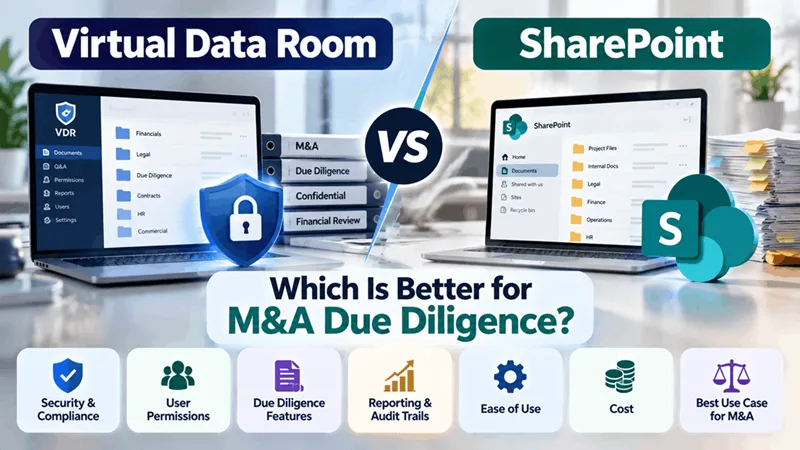
Virtual Data Room vs SharePoint: Which Is Better for M&A Due Diligence?
- Judy Watson
- Finance
- 2025-07-19
- 839K
When an M&A deal gets serious, document sharing becomes more than a file-storage problem. Buyers need access to financial records, contracts, tax documents, employee information, and other sensitive material—while sellers need to control exactly who can see what.
That is where the choice between a Virtual Data Room vs SharePoint becomes important.
Both platforms can store and share documents, but they are designed for different workflows.
Virtual Data Room vs SharePoint: The Main Difference
SharePoint is primarily a collaboration and document-management platform. It works well for internal teams that need to create, edit, organise, and share files across an organisation.
A Virtual Data Room (VDR) is purpose-built for controlled disclosure of confidential information, particularly during transactions such as M&A, fundraising, due diligence, and audits.
The difference becomes clearer when multiple external parties need access to sensitive documents.
| Feature | Virtual Data Room | SharePoint |
|---|---|---|
| M&A due diligence | Purpose-built | Can be configured |
| External users | Designed for controlled access | Supported |
| Granular permissions | Yes | Yes |
| Audit trails | Transaction-focused | Available |
| Q&A workflow | Common VDR feature | Usually requires additional setup |
| Dynamic watermarking | Common | Configuration may vary |
| Document collaboration | Strong | Strong |
| Internal collaboration | Good | Excellent |
| Transaction reporting | Common | May require configuration |
Why VDRs Often Fit M&A Better
During due diligence, the goal isn't simply to let people access files. The seller needs to control disclosure.
A VDR can allow different buyer groups to receive different permissions. Administrators can also manage downloads, printing, document visibility, access expiration, and other restrictions depending on the provider.
Another major advantage is the due diligence Q&A process. Instead of questions being scattered across email conversations, VDR platforms can centralise questions, answers, supporting documents, and communication.
This can become particularly useful when a deal involves multiple bidders and advisers.
When SharePoint May Make More Sense
SharePoint can be a practical choice when the primary requirement is internal collaboration and document management, rather than running a highly controlled transaction.
For companies already invested in Microsoft 365, SharePoint can also fit naturally into existing workflows.
However, turning SharePoint into a transaction-focused environment may require additional configuration, governance, permissions, and tools.
What About Security?
Neither platform should be judged simply by the word "secure."
For an M&A project, look at the actual controls available, including:
- Multi-factor authentication
- Granular permissions
- Encryption
- Audit logging
- Access expiration
- Watermarking
- Data residency
- Download and print controls
- Data retention and deletion policies
FirmsData, for example, positions its Virtual Data Room around controlled document sharing, granular permissions, audit trails, dynamic watermarking, Q&A, and access management for M&A and other sensitive transactions.
Virtual Data Room or SharePoint for M&A?
The answer depends on the job.
Choose SharePoint when your priority is broader collaboration, Microsoft 365 integration, and ongoing document management.
Consider a Virtual Data Room when the priority is controlled disclosure, buyer access, due diligence workflows, transaction monitoring, and a clear record of document activity.
For an M&A transaction, the platform should make the process easier—not create another system for the deal team to manage.
839 people like this


About Premium Author
This post has been authored and published by one of our premium contributors, who are experts in their fields. They bring high-quality, well-researched content that adds significant value to our platform.
Leave a Reply
Please login to post a comment.








0 Comments